One meeting, start to finish.
Note Metric on an iPhone, then on a computer.
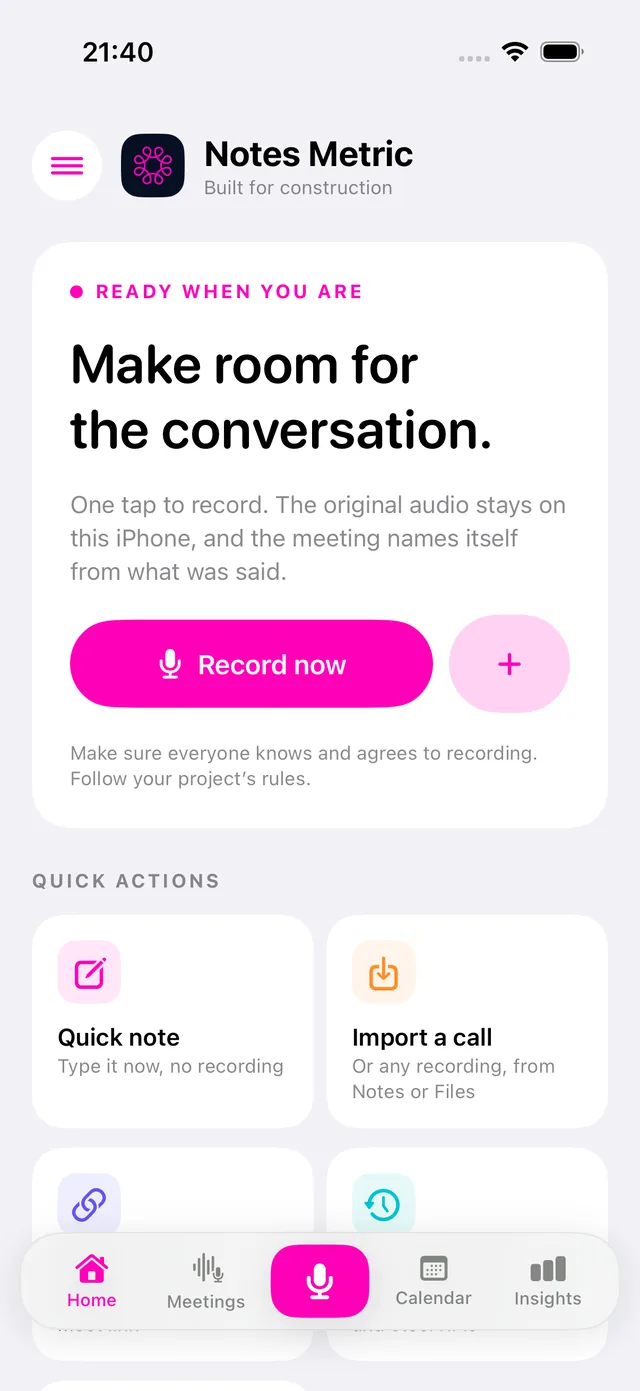
Tap record. Talk. Get minutes where every action, decision and risk plays back the exact moment it was said.
Talk. Every word is transcribed and written up for you.
Round the table on your phone, or a Teams call in your browser.
From voice to draft report in minutes: flags, photo places and Measure (beta).
Minutes, reports and surveys, searchable for the day you need them.
On iPhone and iPad through TestFlight, and in the browser. Recordings stay on the device that made them; notes and minutes sync between your devices with an invite.
Record conversations, meetings and inspections. Turn them into organised notes, reports and actions.
Note Metric on an iPhone, then on a computer.
One tap on any screen, round the table or on a call. Nothing to type: you talk, it is transcribed.
Tap the flag when something matters, pause when you need to, and type notes while it records.
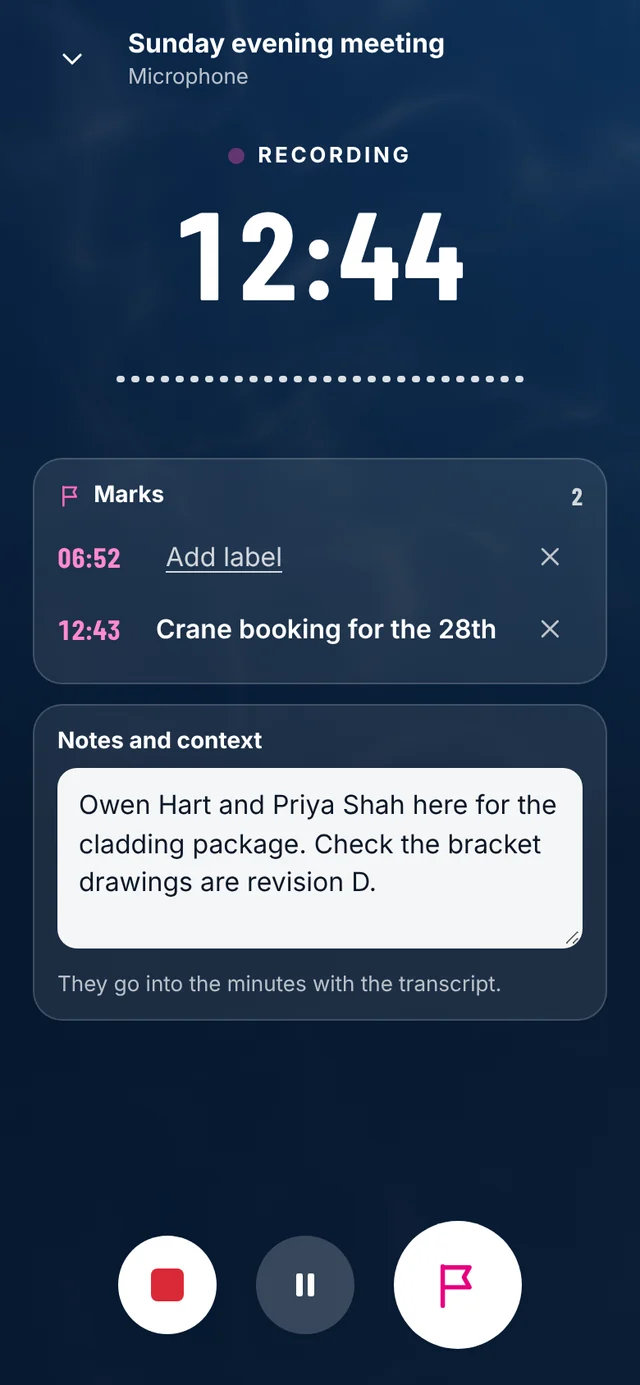
Each one is a tap from that moment in the transcript.
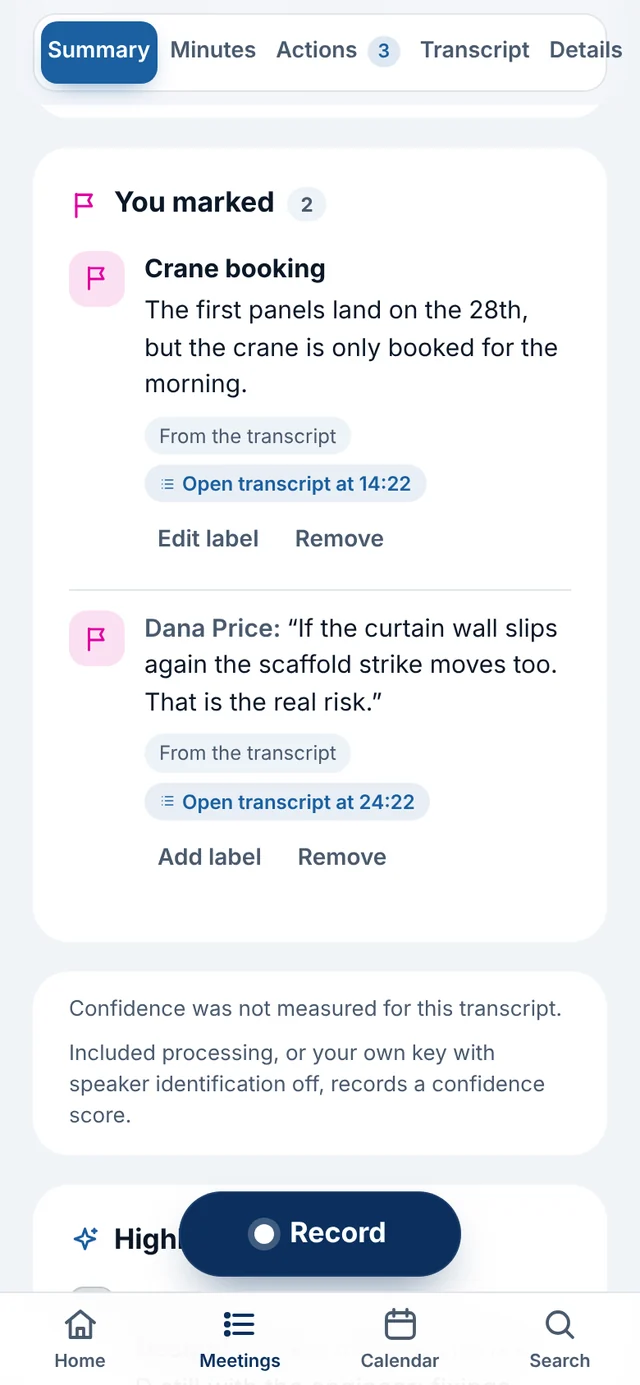
Actions with owners only where spoken, decisions, risks and open questions. Every line plays back the moment it was said.
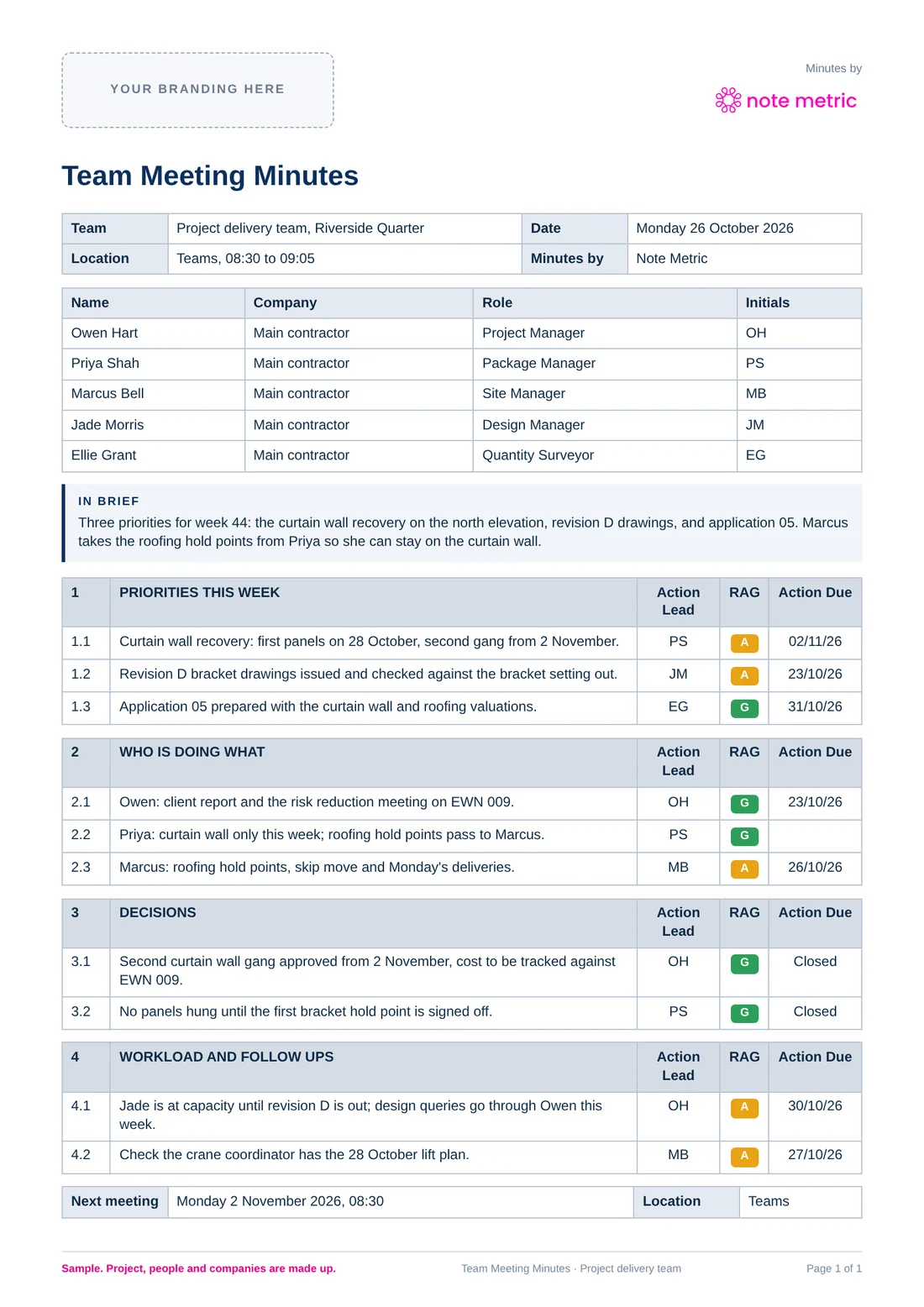
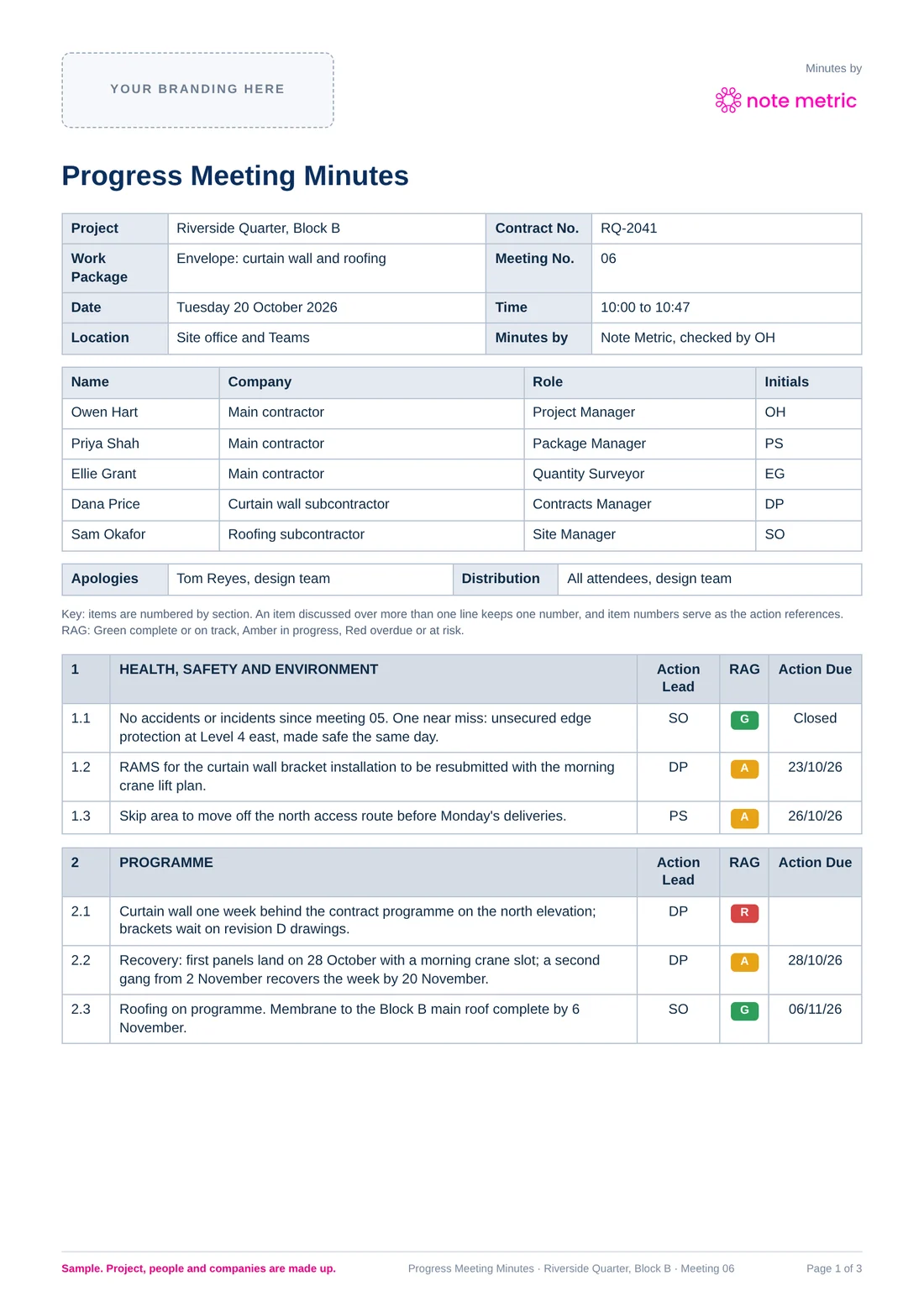
A progress meeting fills the standard construction minutes: numbered items, Action Lead, RAG and Action Due. Team meetings and surveys come out in their own shape.
Ask it the way you'd ask a colleague. The question words are left out, and every result opens at the line it was said in.
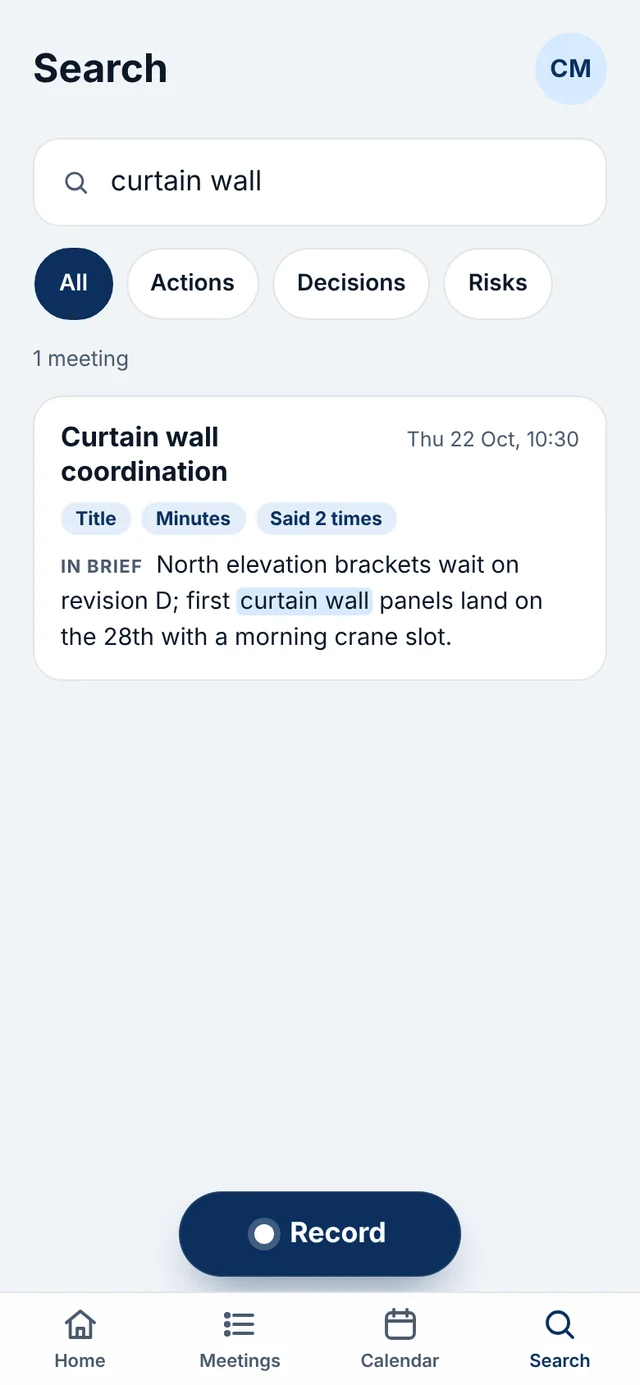
Names, notes, transcripts, minutes and marks sync to the browser. The same meeting, with the summary and the transcript side by side.
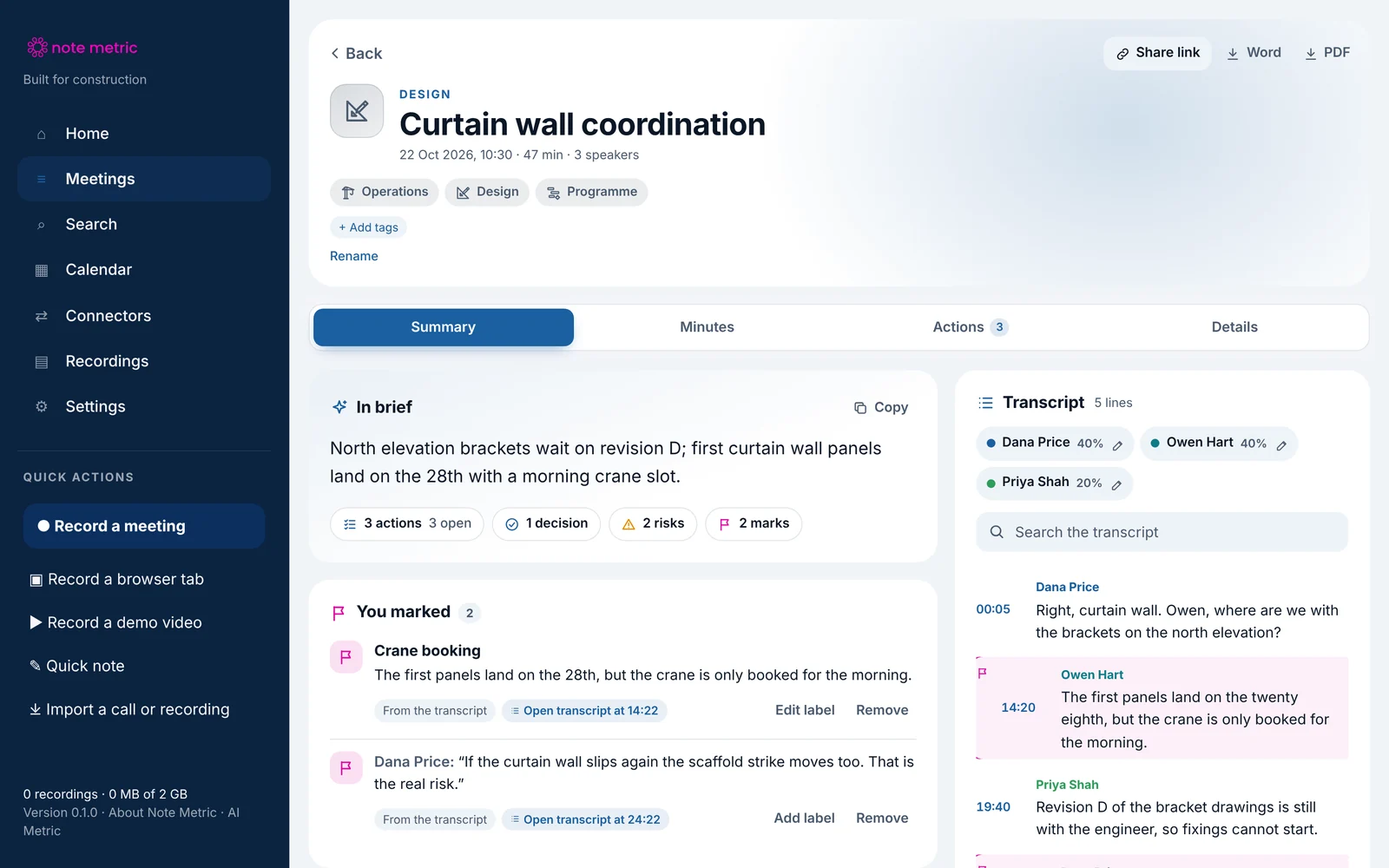
From voice to draft report in minutes.
Snagging, inspections, valuations, surveys, dilaps, TDDs and handovers. Walk the site and talk: each item is flagged as you say it, each photo keeps where it was taken, and Measure (beta) sizes it up. Stop, and the draft is written for you.
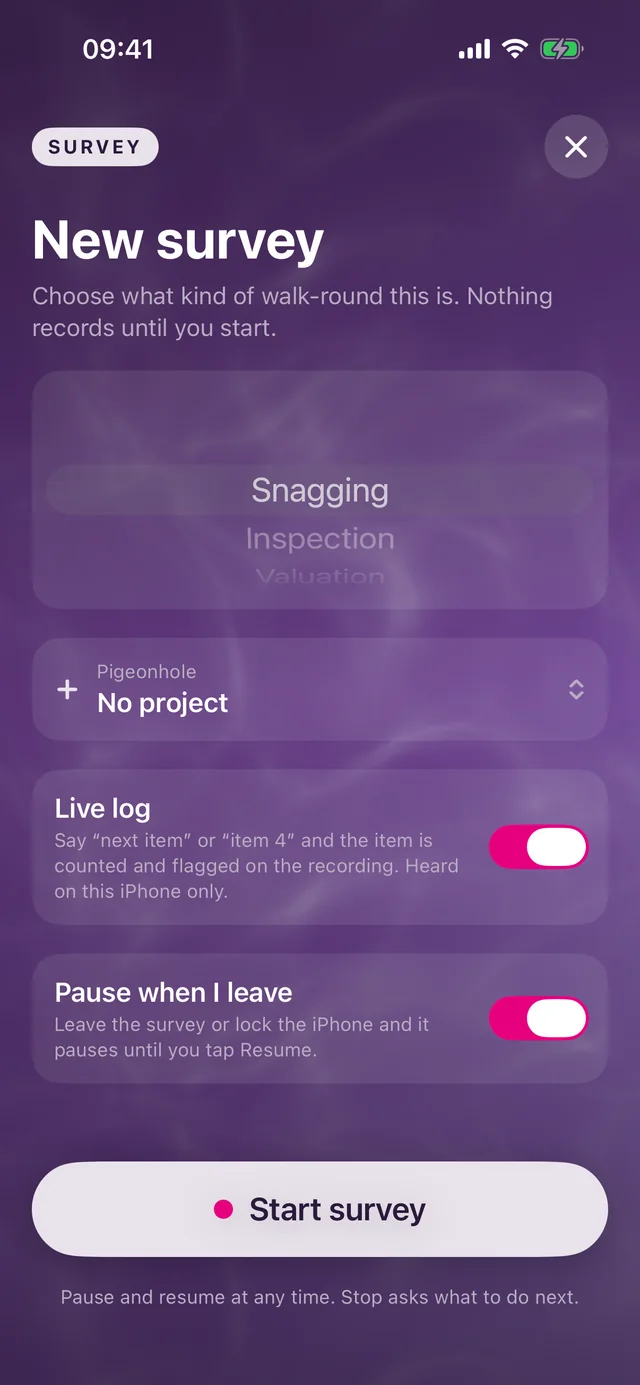
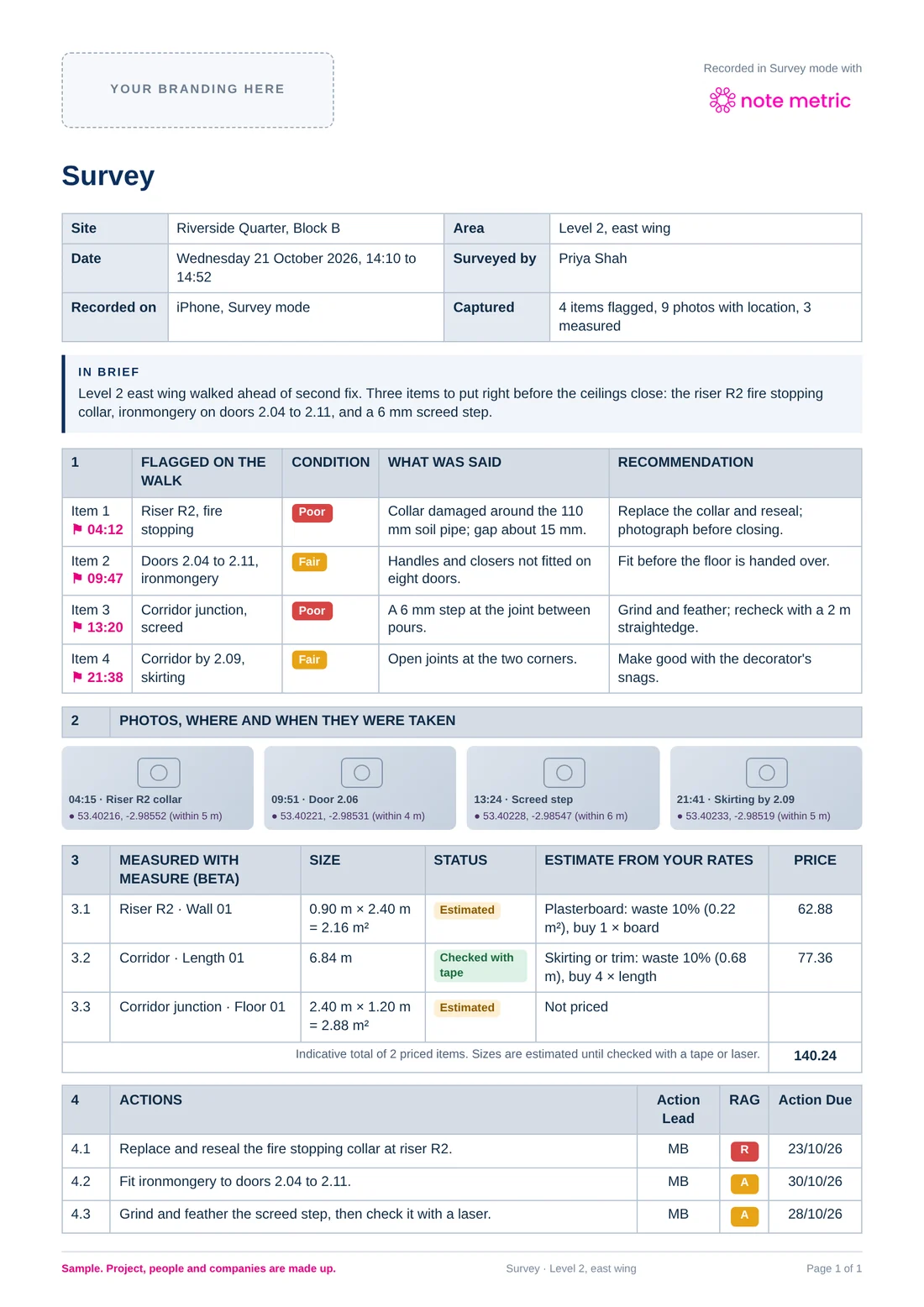
One walk round of a made-up site in Survey mode: Level 2, east wing, ahead of second fix.
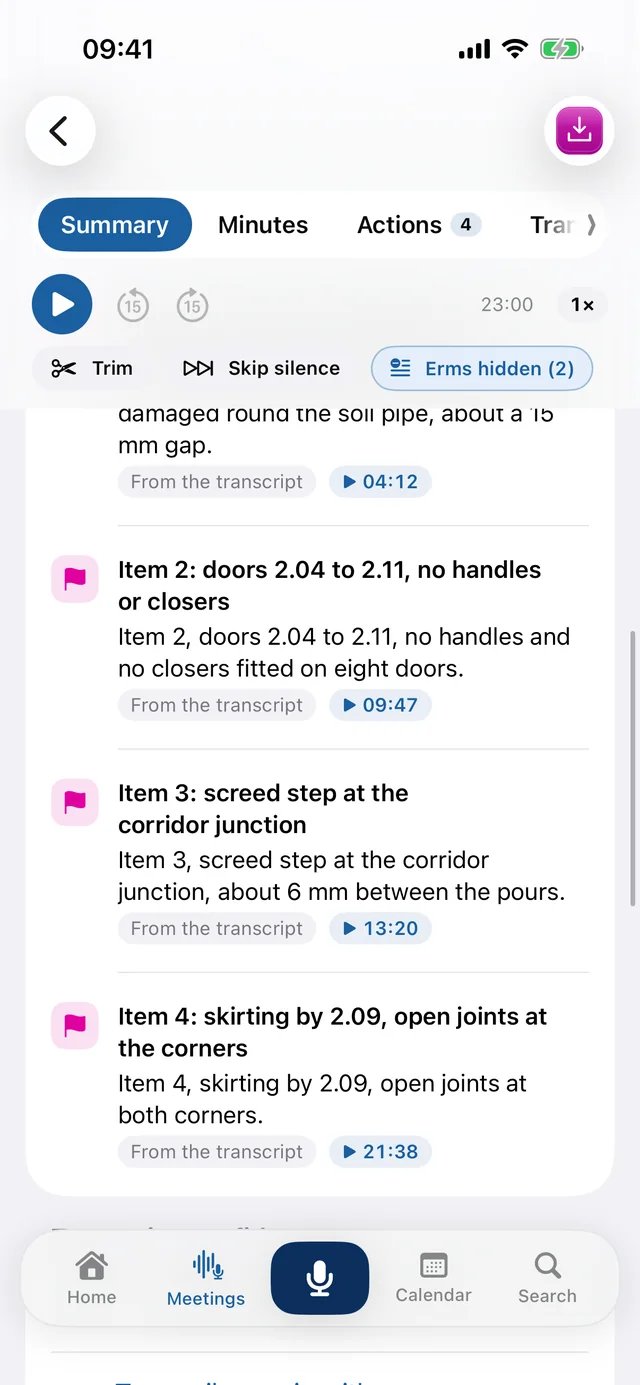
Say “next item”, “item 4” or “snag three” and the item is counted and flagged on the recording with what you said. Nothing to type.
Each survey photo keeps where it was taken, latitude and longitude with how close the reading was, when you allow location, and its moment in the recording.
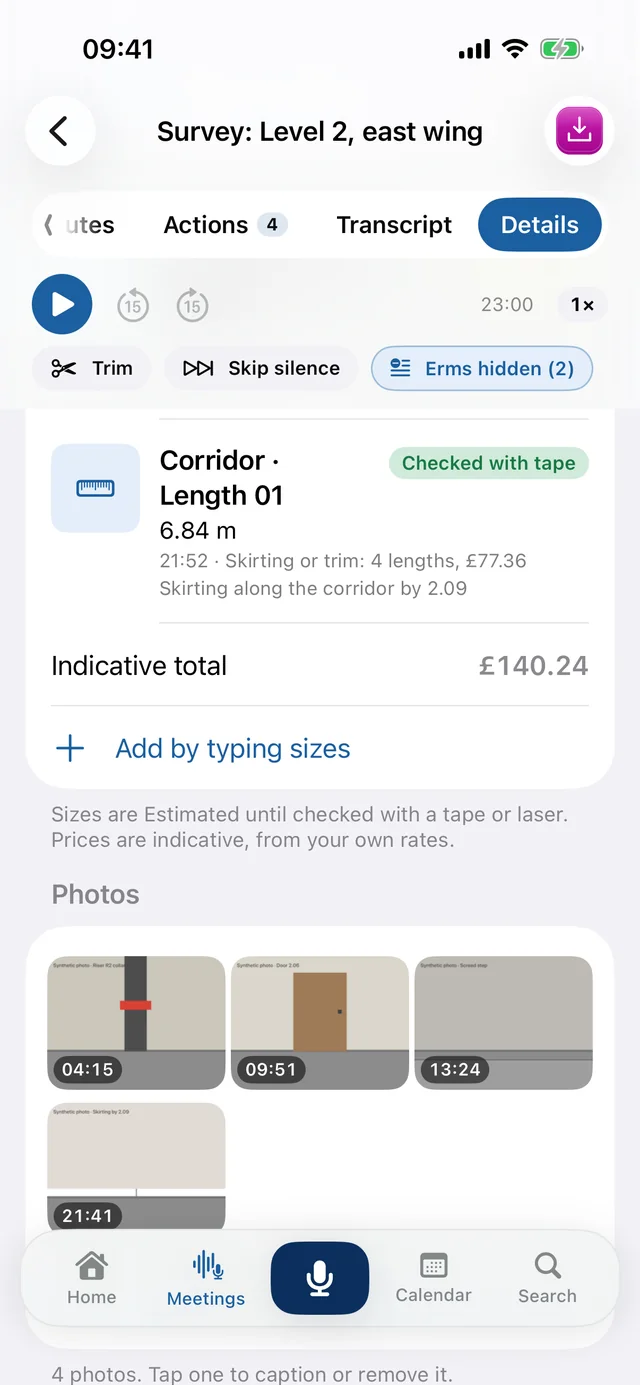
Lengths, walls, floors and volumes with the camera. Each size stays Estimated until you mark it Checked with a tape or laser, and is priced from your own rates.
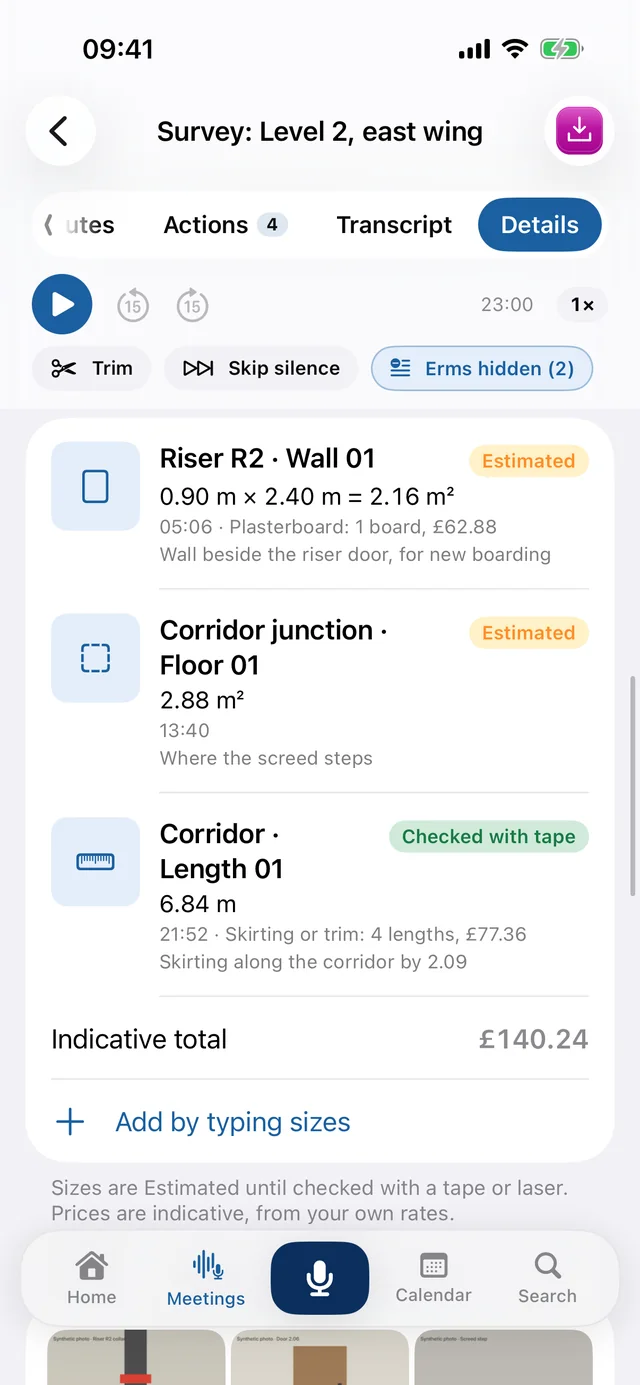
Stop the survey and the draft is written for you: the items, the photos with their places, the sizes and the actions, each one playing back the moment it was said.
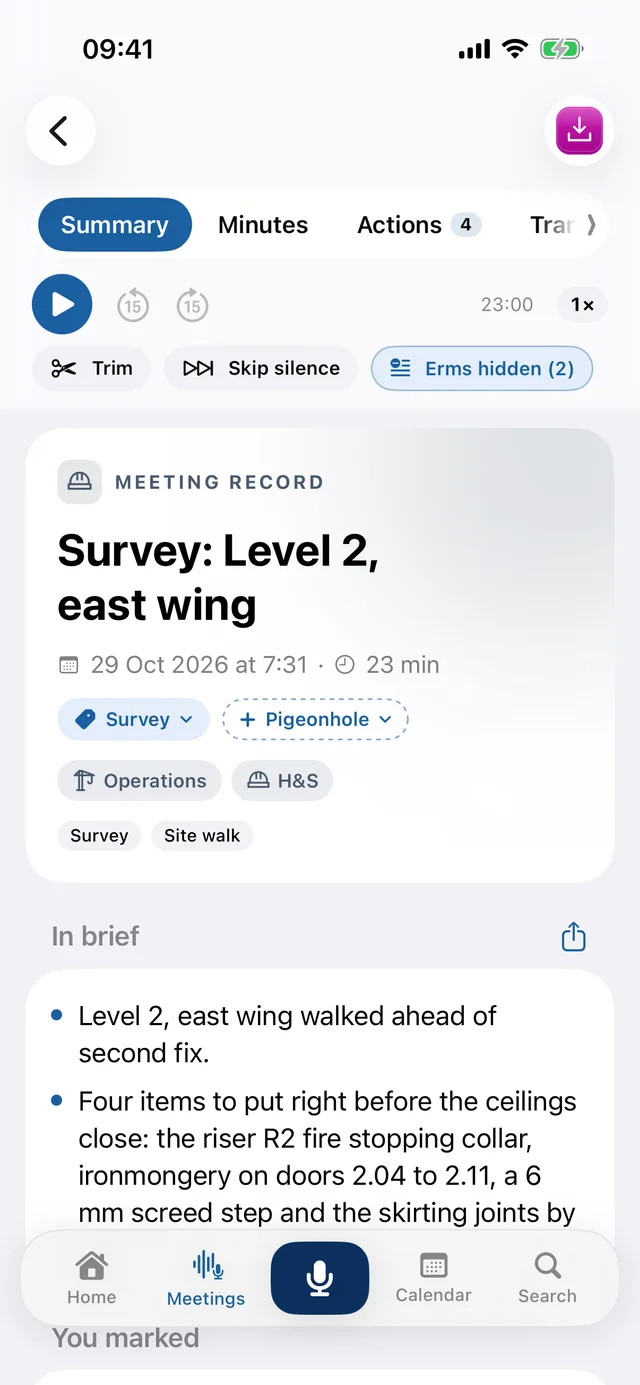
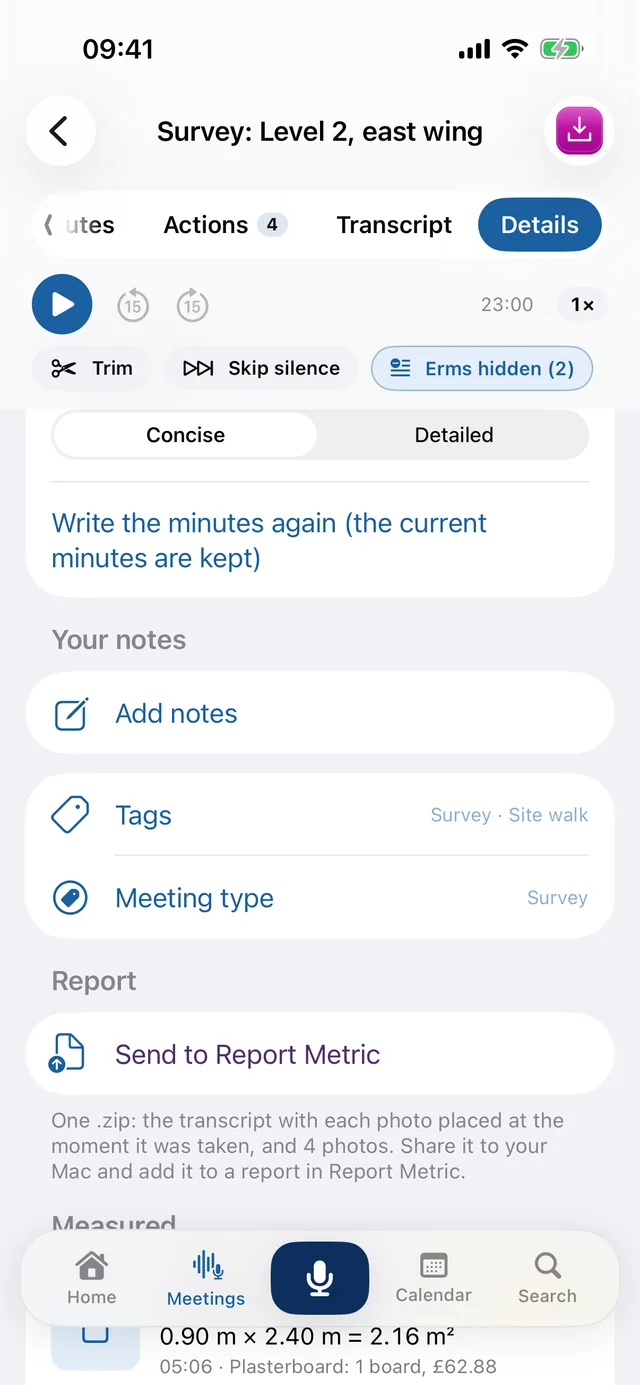
The PDF, a plain Word file ready for your letterhead, a zip with the photos and Measurements.csv, or Send to Report Metric in one file.
Survey mode on an iPhone, with a made-up walk round. A swipe in from the right on Home opens it; a swipe in from the left goes back to Note Metric, still recording.
Pick the kind of walk round. Nothing records until Start survey.
Every item you named, with what you said and when.
Each one at its moment in the walk; the report gives where it was taken.
Sizes, Estimated or Checked, and an indicative total from your rates.
The brief first, then every item, action and risk.
Send to Report Metric: one file, every photo at its moment.
Minutes, reports and surveys tied together: what you say, the photos and the sizes land in one draft, with nothing to type.
Say “next item”, “item 4” or “snag three” and the item is counted and flagged on the recording with what you said. Tap Mark for anything else.
Every survey photo keeps where it was taken, latitude and longitude with how close the reading was, when you allow location, and its moment in the recording.
Lengths, walls, floors and volumes with the camera, and a room scan on iPhones and iPads with LiDAR. Each size stays Estimated until you mark it Checked with a tape or laser.
Pick the trade, type your pack price and labour rate, and the packs to buy and an indicative price are worked out as you go.
The minutes, the PDF and a zip with the photos and Measurements.csv, or Send to Report Metric in one file. Every flag, photo and size keeps its moment.
Step out of Survey mode or lock the phone and the survey pauses until you resume, so it never records for hours by mistake.
Survey: Level 2, east wing
Recorded 21 Oct 2026, 14:10, 42:16 long, 9 photos.
[04:12] MARK: Item 1: fire stopping collar at riser R2
[04:15] PHOTO photo-003.jpg at 53.40216, -2.98552 (within 5 m): Riser R2 collar
[09:47] MARK: Item 2: ironmongery, doors 2.04 to 2.11
[13:20] MARK: Item 3: screed step at the corridor junction
[13:24] PHOTO photo-006.jpg at 53.40228, -2.98547 (within 6 m): Screed step

MEASURED (estimated until checked with a tape or laser)
Riser R2 · Wall 01: 0.90 m × 2.40 m = 2.16 m². Estimated. At 04:20.
Corridor · Length 01: 6.84 m. Checked with tape. At 21:52.
Three made-up samples of what one recording becomes: a progress meeting in the standard construction minutes layout, a weekly team meeting, and a walk-round in Survey mode with its flags, photo locations and measurements. Each comes out as Word, PDF and text; the Word file is plain, ready for your own letterhead.
Construction vocabulary built in, and minutes written from the transcript alone.
Round the table on your phone, a Teams, Meet or Zoom call in your browser, or a walk-round in Survey mode. Nothing to type: you talk, it is transcribed. Photos land on the recording's timeline.
Overview, actions with owners only where spoken, decisions, risks and open questions, in the shape of minutes, each line sorted into operations, safety, commercial, design, contract or programme.
Tap a timed line to hear the moment it came from. Send anyone a read-only link to the minutes, never the recording.
Owners and due dates appear only where they were spoken.
Search a client, a contractor or a topic and read the brief from the last time it came up, with the line it was said in.
Minutes written from the transcript alone, with actions, decisions and risks that play back the moment they were said.
Items flagged as you name them, every photo with where it was taken, and sizes from Measure (beta), ready for the report.
Record from any page, mark what matters as it happens, and type context into the meeting while it records.
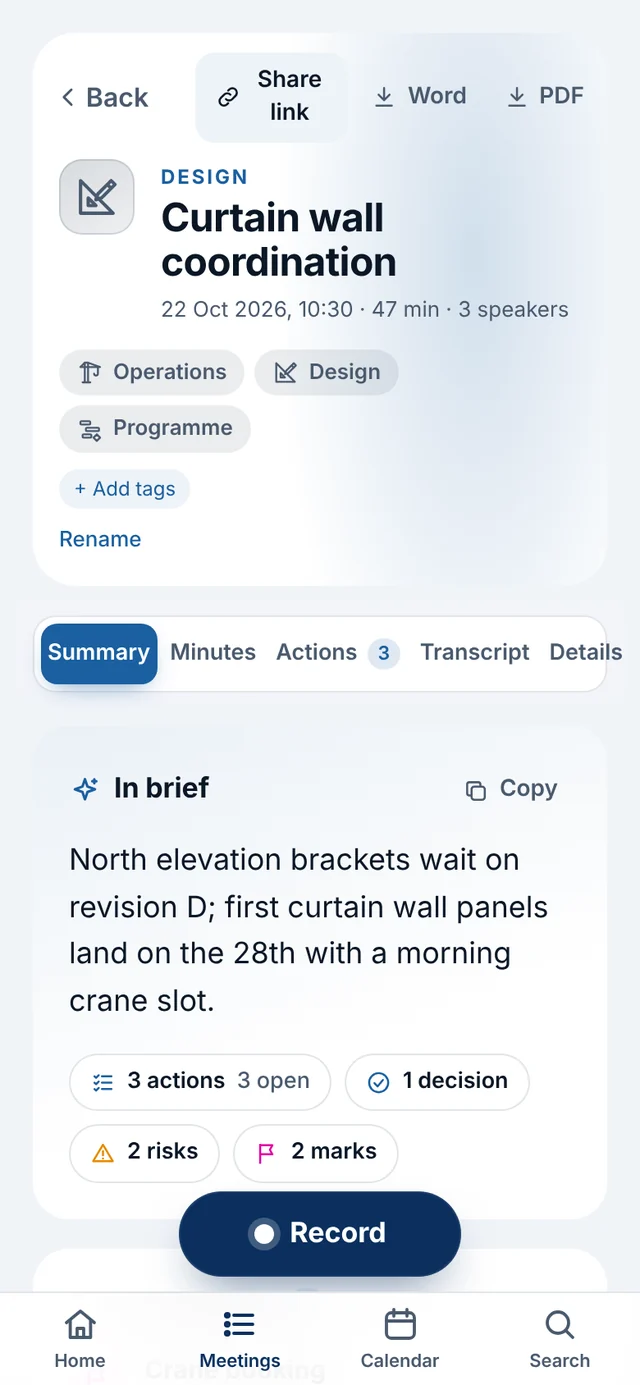
The meeting in one paragraph, before the detail.
Note Metric is built by AI Metric, the construction AI consultancy behind Construction Metric. It knows what an RFI, a RAMS pack and a concrete pour are, and it treats the record of a meeting as something you may need to rely on later.
Your meetings, notes and day. Captured.
Closed beta. Also on iPhone via TestFlight.